


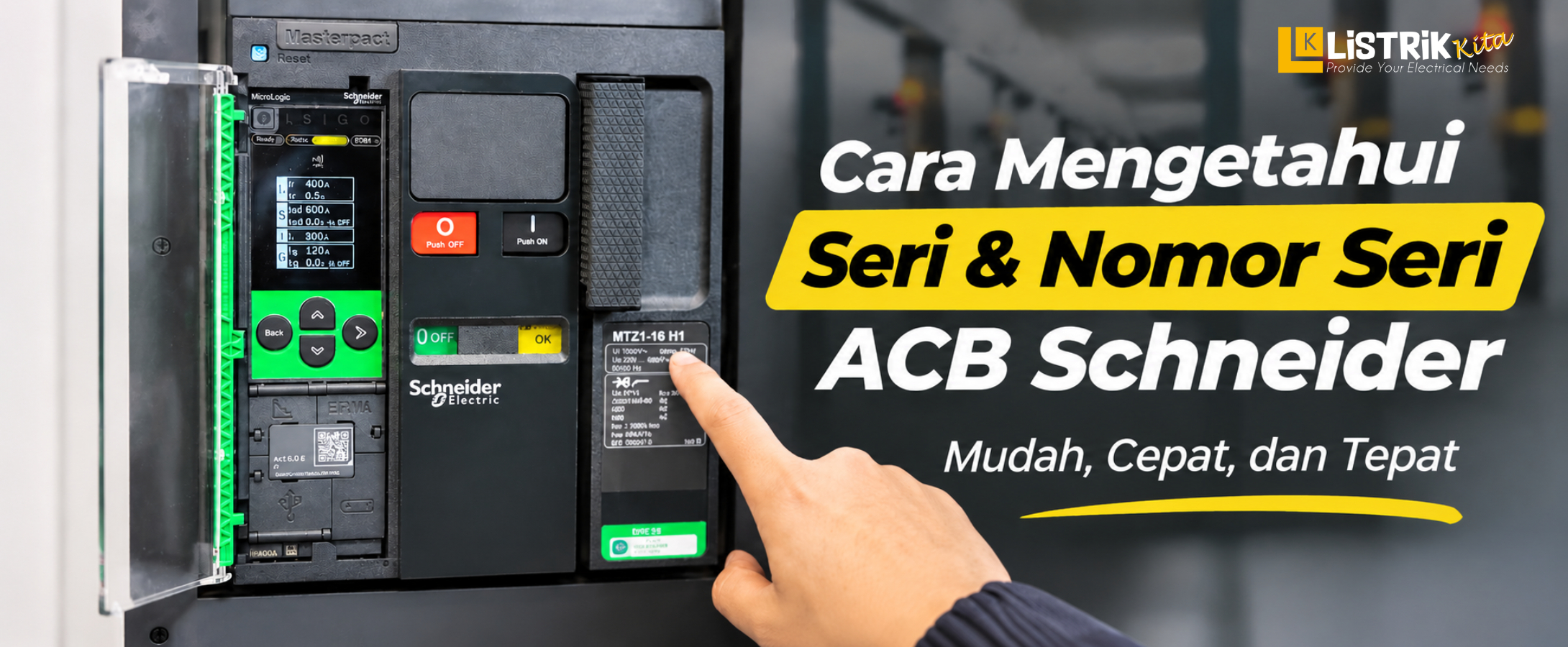
Listrik Kita is an official Schneider Electric distributor providing original and warranty-backed products for various electrical needs, including Air Circuit Breakers or ACBs. In an electrical installation, knowing the series and serial number of a Schneider Electric ACB is important for identifying the product, finding technical information, and making maintenance or replacement easier.
ACBs are commonly used in electrical distribution systems that require high-capacity protection. Since they are available in different series and configurations, the information on the unit should be checked carefully. So, how can you find the series and serial number of a Schneider Electric ACB? Here are several parts you can check.
How to Find the Series and Serial Number of a Schneider Electric ACB
1. Check the Nameplate or Front Label
One of the easiest ways to identify an ACB is by checking the nameplate or label on the front of the unit. The nameplate usually contains important product information.
This information can help users identify the ACB type or series, product reference, electrical ratings, and unit identification number. To find the serial number specifically, look for the section of the label that shows the serial number.
Make sure the information on the nameplate is clearly visible. If the ACB has been used for a long time, the label may become dirty or worn, making some information difficult to read. It is a good idea to record the information before continuing with further checks.
2. Scan the QR Code on the Front
In addition to the nameplate, some Schneider Electric ACBs have a QR code that can help with product identification. The QR code is usually located on the front of the unit, allowing it to be accessed without opening the ACB.
You can use a smartphone camera or QR code scanner to read the available information. After scanning it, check the displayed information and compare it with the data shown on the nameplate.
This can help reduce identification errors, especially when several ACBs with similar appearances are installed in the same panel.
3. Check the Micrologic Control Unit
Another part that can be checked is the Micrologic control unit. On certain Schneider Electric ACBs, Micrologic works as a control and protection unit that provides information about the ACB's protection settings and characteristics.
The information shown on the Micrologic unit can support the identification process when combined with the nameplate and QR code data. Do not rely on just one piece of information. For a more accurate check, compare the information from several parts of the ACB.
Common Schneider Electric ACB Series
1. MasterPact
MasterPact is one of Schneider Electric's ACB product families, designed for electrical distribution and protection applications. The MasterPact family is available in different configurations to meet various electrical system requirements.
When identifying an ACB, check the series name on the front of the unit and compare it with the reference and other product information shown on the nameplate.
2. EasyPact MVS
EasyPact MVS is another Schneider Electric ACB series used in electrical distribution systems. Like MasterPact, the unit can be identified by checking the information shown on the front label or nameplate.
Knowing the ACB series makes it easier to find the correct datasheet, technical information, accessories, or a suitable replacement unit.
What Is the Difference Between an ACB Series, Model, and Serial Number?
ACB Series
The series identifies the product family of an ACB. Examples include MasterPact and EasyPact MVS.
Model or Reference
The model or reference provides more specific information about the product configuration and characteristics. This information is important when looking for a product with the right specifications.
Serial Number
The serial number is a unique identification for a specific unit. It can be used to support product identification and equipment records.
Safety Notes When Checking a Schneider Electric ACB
Only Scan the QR Code on the Front
When checking the product, use the QR code located on the front of the ACB. Avoid scanning codes from unclear sources or locations. Make sure the information provided by the QR code matches the information on the unit.
Check the Product's Authenticity
Product identification should not rely only on the physical appearance of the ACB. Compare the information on the nameplate, QR code, serial number, and Micrologic unit to make sure the product information is consistent.
If you find information that does not match or seems suspicious, verify it further before using or purchasing the unit.
Do Not Open the Unit Without Proper Procedure
Product identification does not always require opening the ACB. Avoid opening internal parts without proper procedures, especially when the ACB is still installed in a panel or may present an electrical hazard.
Finding the series and serial number of a Schneider Electric ACB can be done by checking several key parts, including the nameplate, the QR code on the front, and the Micrologic control unit. Comparing information from these different parts makes product identification easier and more reliable.
If you are looking for MasterPact or EasyPact MVS Schneider Electric for electrical distribution and protection applications, you can purchase them from Listrik Kita. Listrik Kita provides original and warranty-backed Schneider Electric products for various electrical installation needs.
